Glass Desktop Box™ Starter
$22.99 netAnnual plan
Valid for 12 months
5 GB relay volume per month. P2P transfers do not use this allowance.
Get startedVisual Windows workspace with integrated file and folder transfer
Organize real files in visual Boxes and share complete Boxes with their folder structure intact.
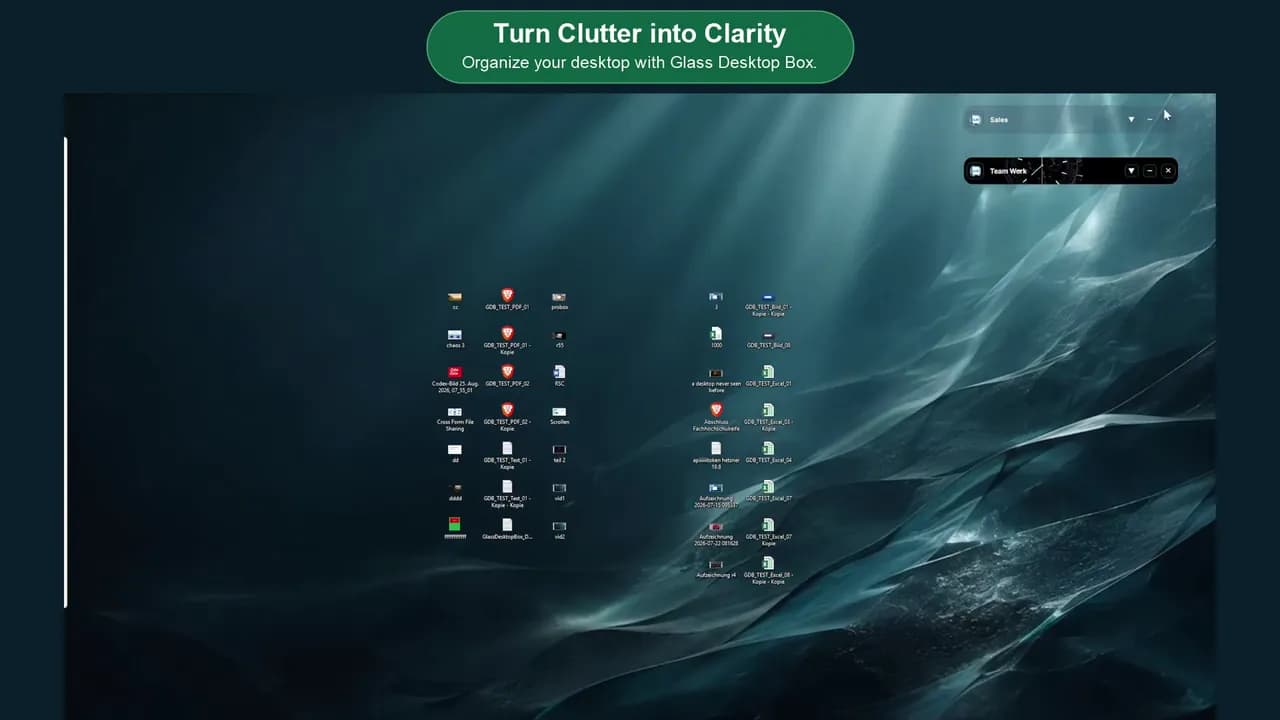
Two core Box types and other important features at a glance.
Organize local files in visual Desktop Boxes. Customize, rename, and arrange them exactly the way you like. From now on, your desktop is truly yours.
Work together with one click. Coworking at its best. Share complete folder structures (Boxes) through an invitation link—for example, by email.
Personalize your workspace with 554 high-quality wallpapers and 233 selectable animations, including 12 live clocks, for your Boxes and desktop. Create millions of combinations — all included with the Starter plan.
Share files in seconds between Windows, phones, Mac and Linux. Your desktop becomes a cross-platform file hub.
YOUR BENEFITS
You decide what you share and with whom. No AI runs on your computer during normal use of the application.
P2P whenever technically possible; otherwise via a protected relay. No anonymous storage: your files are not stored permanently.
From Windows to modern browsers. On Windows, macOS, Linux, iPhone, iPad and Android.
Visual organization, 3D Boxes, animated backgrounds and cross-platform sharing in one place.
PLANS
Annual plan
Valid for 12 months
5 GB relay volume per month. P2P transfers do not use this allowance.
Get startedAnnual plan
Valid for 12 months
20 GB relay volume per month. P2P transfers do not use this allowance.
Get startedP2P OR RELAY
Direct P2P transfers do not use your relay allowance.
Protected relay is used only when a direct connection is unavailable.
Files are not permanently stored in the cloud.
TRUST AND CONTROL
Recognize the problem in front of you, then open the practical guide or feature that solves it.